Anycubic Kobra S1 Combo Multicolor 3D Printer with Anycubic ACE PRO, 4 Multicolor Review (2026)
Updated September 14, 2026 · Research-based review
Our verdict
The Kobra S1 Combo pairs Anycubic's first CoreXY printer with the ACE PRO multicolor and drying unit, reaching speeds up to 600mm/s with four-color printing out of the box. It suits buyers who want Bambu-style multicolor convenience on Anycubic hardware, though the color profile ecosystem is smaller than Bambu's.
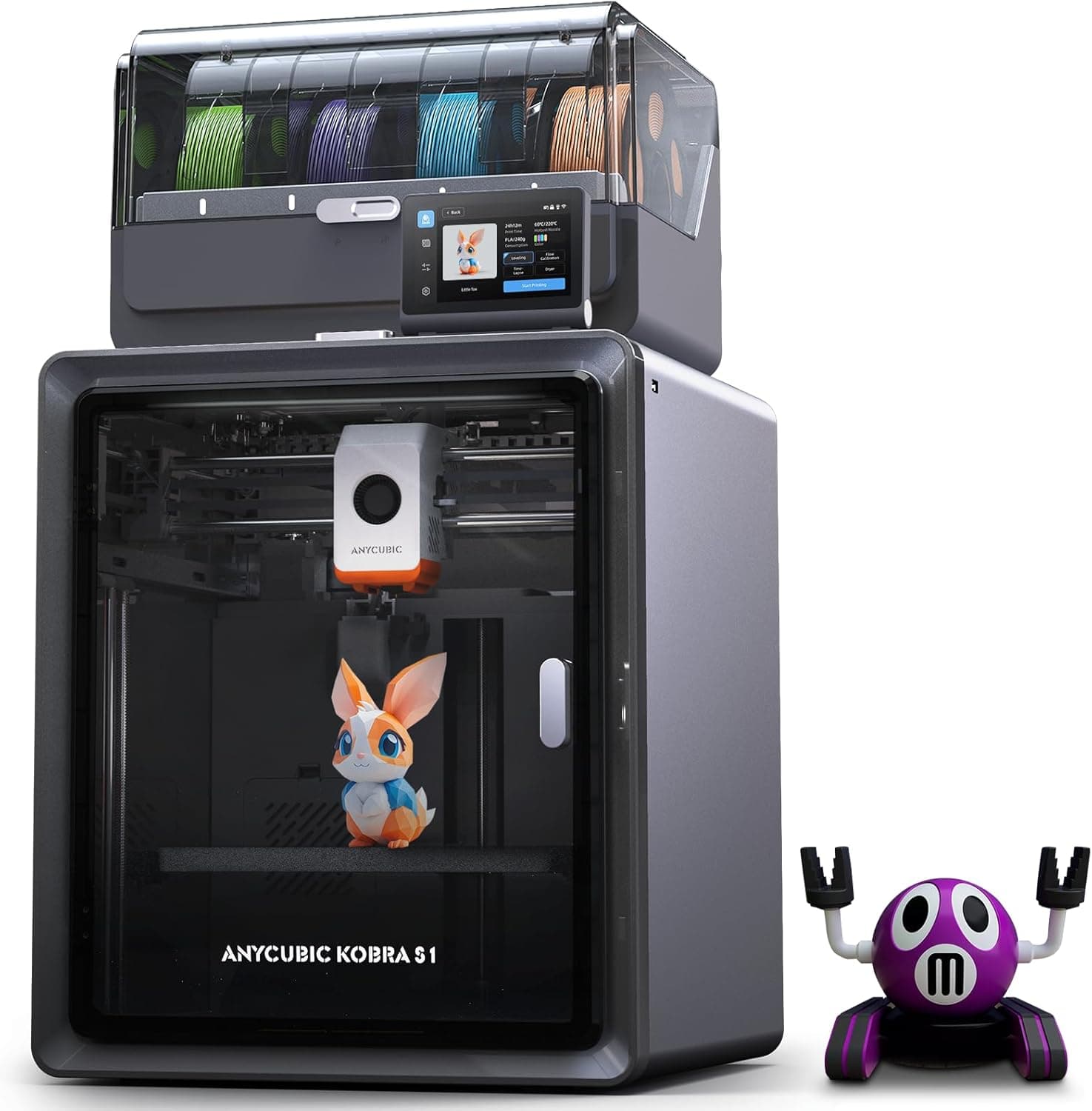
Anycubic Kobra S1 Combo with the ACE PRO unit for 4 multicolor printing on an enclosed-style CoreXY platform.
Price range: See on Amazon
What we liked
- + ACE PRO unit manages 4 multicolor spools for automatic switching
- + Kobra S1 targets fast, quality prints with color options
- + Competitive alternative to Bambu combos for Anycubic fans
Trade-offs
- - Anycubic multicolor ecosystem has fewer third-party profiles than Bambu
- - Combo unit takes additional desk space beside the printer
Anycubic's answer to combo-style multicolor printing
The Kobra S1 Combo bundles the Kobra S1 printer with the ACE PRO, a four-slot unit that automatically feeds, dries, and switches filament colors during a print. Independent reviews describe it as Anycubic's first CoreXY printer, moving the brand away from the bedslinger designs of earlier Kobra models toward the enclosed, gantry-style layout that competitors like Bambu Lab popularized. It targets buyers who want automatic color switching without building or buying a separate AMS-style add-on, and who are comfortable staying inside Anycubic's own software and filament ecosystem rather than mixing and matching brands. Anyone already invested in Bambu profiles or slicer plugins will find less third-party support here.
Speed, build volume, and the ACE PRO unit explained
Independent testing lists a 250x250x250mm build volume, a top print speed of 600mm/s with 300mm/s as the practical recommended speed, and a hotend that reaches 320 degrees Celsius on a bed that heats to 120 degrees. The Kobra S1 body measures roughly 400x410x490mm, with the ACE PRO unit adding about 366x283x235mm alongside it, so the combo takes noticeably more desk space than the printer alone. The ACE PRO holds four spools, includes a built-in filament dryer, and can be paired with a second unit and hub for eight-color printing. Reviewers also note dual gear direct drive with a quick-detach metal hotend, a filament sensor, an onboard camera for remote monitoring, and an activated carbon filter for the enclosed chamber.
Setting it up and running it day to day
Reviewers describe noise levels as low as 44 decibels in quiet mode and 46 decibels in standard mode, which is quiet enough for a shared workspace. The polycarbonate door and top panel keep the print chamber enclosed, helping with materials like ABS and ASA that benefit from a stable temperature. Day to day, the appeal of the ACE PRO is not having to babysit color changes. Independent reviewers found the multicolor workflow straightforward for beginners, though they also flagged Anycubic's slicer software as a weaker part of the package compared with the hardware itself, so many users pair the printer with third-party slicers for better control over multicolor settings.
How it stacks up against Bambu combo printers
This guide ranks the Kobra S1 Combo behind several Bambu Lab combo printers, and independent reviews back that ordering up: Bambu's AMS ecosystem has more mature third-party filament profiles and a larger community of shared print settings. Where the Kobra S1 Combo competes well is price positioning relative to feature set, with reviewers noting it offers capabilities close to machines costing considerably more. If Bambu's slicer and AMS refinement matter most to you, that ecosystem is still ahead. If you want fast CoreXY printing with automatic multicolor and drying on a budget closer to entry-level, the Kobra S1 Combo is a reasonable alternative within the Anycubic lineup.
Verdict: strong value if you can live inside Anycubic's ecosystem
The Kobra S1 Combo delivers real CoreXY speed and automated four-color printing with a built-in dryer, at a price point reviewers consider aggressive for what it includes. It is a good pick for buyers who want multicolor printing without committing to Bambu's higher-priced combos and who are willing to work with Anycubic's slicer or a compatible third-party alternative. Buyers who already rely on Bambu's software and community profiles, or who need every color changeover to be seamless out of the box, should budget for a Bambu combo instead. First-time multicolor buyers who mainly want fewer manual filament swaps and a quieter enclosed printer will likely find the Kobra S1 Combo delivers most of what they are after without the added cost of Bambu's flagship lineup.
Frequently asked questions
How many colors can the Anycubic Kobra S1 Combo print?
The included ACE PRO unit handles four colors, and adding a second ACE PRO with a hub expands that to eight colors.
What is the build volume of the Kobra S1 Combo?
Independent testing lists a 250x250x250mm build volume for the Kobra S1 printer.
Does the ACE PRO dry filament as well as feed it?
Yes, reviewers confirm the ACE PRO includes a built-in filament dryer alongside its multicolor feeding function.
Is the Kobra S1 Combo as quiet as Anycubic claims?
Independent reviews measured noise around 44 to 46 decibels depending on the selected mode, which is quiet for an enclosed CoreXY printer.
Prices change often, so check the current price and availability on Amazon.
Check price on AmazonFilament Print Lab may earn a commission from the link above.