Bambu Lab A1 Mini Combo, A1 Mini 3D Printer & AMS lite, Multi-Color Printing Review (2026)
Updated September 14, 2026 · Research-based review
Our verdict
The A1 Mini Combo pairs Bambu Lab's smallest printer with the AMS lite for automated multi-color printing in a footprint that fits a desk or dorm room. It handles small multi-color models well thanks to full auto calibration, but the compact 180mm bed and open AMS lite spools rule out large prints and humid storage.
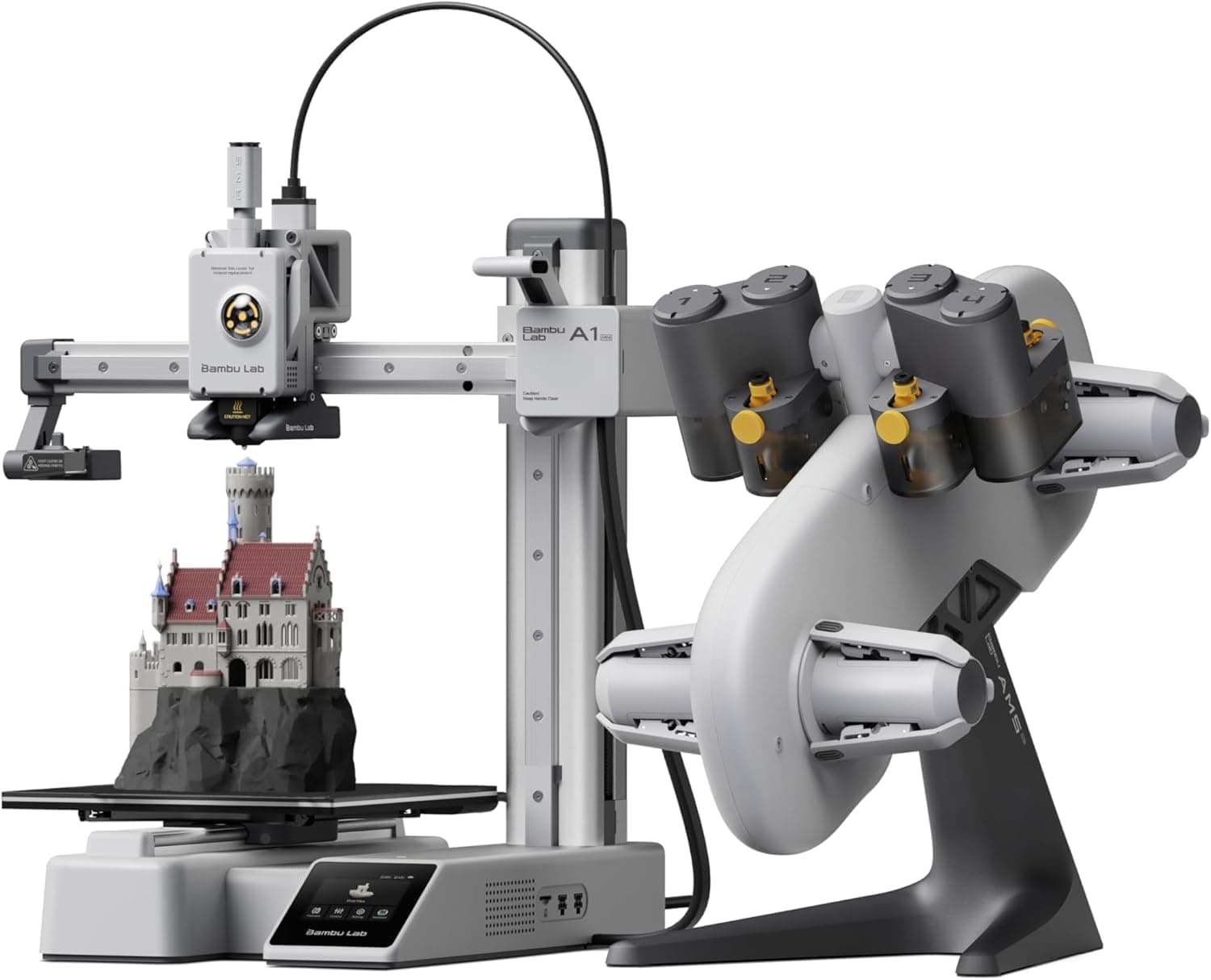
Bambu Lab A1 Mini Combo pairs the A1 Mini printer with AMS lite for compact, beginner-friendly multi-color printing.
Price range: See on Amazon
What we liked
- + AMS lite brings automatic multi-color printing to a small desk
- + A1 Mini footprint suits apartments, dorms and kids' craft corners
- + Bambu's auto calibration keeps color prints hands-off
Trade-offs
- - Mini bed size limits multi-color projects to smaller models
- - Open AMS lite exposes filament to humidity in damp rooms
Who the A1 Mini Combo fits
This combo is built for people who want automated multi-color printing without committing desk space or budget to a full size machine. Bambu Lab markets the A1 Mini as an entry point that still carries over the auto calibration and vibration compensation from its larger siblings, which makes it a realistic first printer for students, apartment dwellers or parents setting up a kids' craft station. The AMS lite adds automatic color and material changes, so multi-color keychains, figures and small props print largely hands off once a job is queued. It is a weaker fit for anyone planning larger props, cosplay pieces or production runs, since the bed size and single AMS lite unit cap both part size and simultaneous color count.
Build volume, speed and AMS lite explained
The A1 Mini has a 180 by 180 by 180mm build volume, small compared with full size desktop printers but enough for most keychains, miniatures, phone stands and similar hobby prints. Bambu Lab lists a maximum toolhead speed of 500mm per second, with full auto calibration covering Z offset, bed leveling and vibration compensation so prints start reliably without manual tuning. The AMS lite attached in this combo supports up to four colors or materials feeding automatically during a single print, switching filament as the model's color map requires. Unlike the enclosed AMS on Bambu's larger printers, AMS lite sits openly next to the printer rather than sealed, which affects how it handles moisture sensitive filaments.
Setting it up and running multi-color prints
Setup follows Bambu's usual guided process through their slicer, which handles calibration, bed leveling and AMS lite pairing with minimal manual input, a workflow reviewers describe as fast to get running. Day to day, swapping spools in the AMS lite is straightforward, and the printer's active motor noise canceling keeps it reasonably quiet for a shared room. Because the AMS lite is open rather than enclosed, moisture sensitive filaments like nylon or TPU need to be dried and stored separately rather than left loaded for weeks, especially in humid climates. Owners commonly note that the small bed size means adapting or splitting larger models rather than printing them in one piece.
Trade-offs against the P1S and A1 combos
Stepping up to the Bambu Lab P1S Combo with a full AMS gets a larger CoreXY frame, enclosed chamber and bigger bed, which suits ABS, ASA and bigger multi-color models but costs more and takes up considerably more desk space. The full size A1 Combo with AMS lite keeps the same open frame philosophy as the Mini but with a larger bed for bigger single or multi-color prints, at the cost of a bigger footprint. Against rivals like the Anycubic Kobra S1 Combo with its own multicolor unit, the A1 Mini's main edge is Bambu's calibration and slicer ecosystem, while its main disadvantage against every one of these alternatives is simply less build volume to work with.
Bottom line and who should size up
For anyone who wants reliable, largely automatic multi-color printing at small scale and does not have room for a bigger machine, the A1 Mini Combo delivers on that promise with genuinely useful auto calibration. Skip it if your projects regularly exceed an 18cm cube, since the bed will force constant splitting and reassembly of models. Buyers who print a lot of moisture sensitive engineering filament should also weigh the open AMS lite against an enclosed AMS on a P1S or X1 series printer, where humidity control is built in rather than left to the user.
Frequently asked questions
What is the build volume of the Bambu Lab A1 Mini?
The build volume is 180 by 180 by 180mm, which suits small to medium prints like keychains, miniatures and phone accessories.
How many colors can the AMS lite handle at once?
The AMS lite in this combo supports up to four colors or materials feeding automatically during a single print.
Does the AMS lite protect filament from humidity?
No, AMS lite is an open design rather than a sealed unit, so moisture sensitive filaments still need separate drying and storage.
How fast can the A1 Mini print?
Bambu Lab lists a maximum toolhead speed of 500mm per second, with full auto calibration to keep fast prints reliable.
Prices change often, so check the current price and availability on Amazon.
Check price on AmazonFilament Print Lab may earn a commission from the link above.