Bambu Lab P1S Combo, P1S 3D Printer and AMS, Multi-Color CoreXY 3D Printer Review (2026)
Updated September 14, 2026 · Research-based review
Our verdict
The same enclosed P1S printer paired with the Automatic Material System, giving CoreXY speed and up to four-color switching in a machine that also handles ABS and PETG behind a closed chamber. It sits above Bambu's cheaper A1 Combo on capability and community support, though the AMS adds cost and purge waste on detailed color prints.
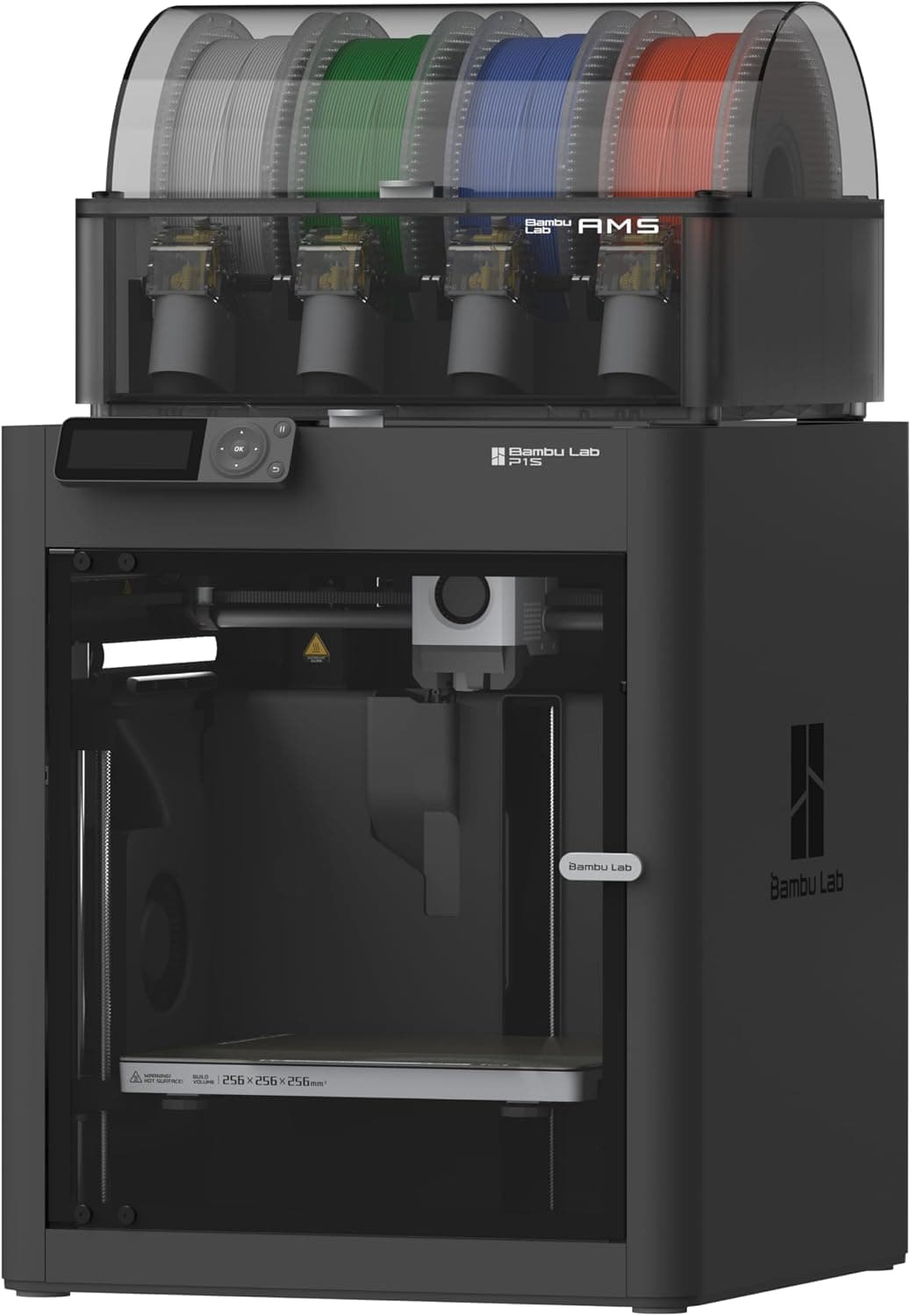
Bambu Lab P1S Combo with the P1S printer and AMS, a multi-color CoreXY setup that also handles enclosed materials.
Price range: See on Amazon
What we liked
- + Enclosed P1S with AMS prints multi-color parts in ABS or PETG
- + CoreXY motion keeps color prints fast and consistent
- + Popular combo with lots of shared multi-color print profiles
Trade-offs
- - Higher price than the A1 Combo for similar color capability
- - Filament purge per swap adds up on detailed color models
Who should look at the P1S with AMS
This combo suits buyers who want a single purchase that covers both an enclosure for heat sensitive filaments and automatic color switching, rather than adding the AMS as a later upgrade to a bare P1S. It fits makers producing cosplay props, display models or multi-material functional parts who value not having to babysit filament changes mid-print. The enclosed chamber also opens the door to ABS and PETG without the warping problems open-frame printers often show on larger parts. Someone printing single-color PLA almost exclusively gets little from the AMS specifically and would be better served buying the bare P1S and putting the savings toward filament or a second printer.
CoreXY motion and the AMS explained
The P1S uses CoreXY motion, where the print head moves along both axes using two motors working together, a design that tends to hold accuracy better at speed than older single-axis gantry printers. Bambu Lab's AMS included in this combo holds up to four 1.75mm spools and automatically feeds whichever one a sliced model calls for at each color change, with up to four AMS units connectable for larger multi-material jobs. The enclosure keeps the build chamber warmer and more stable than an open frame, which reduces warping on ABS, ASA and similar filaments prone to curling as they cool unevenly in a draft. A 0.4mm nozzle rated to 300C ships standard, covering the common filament range from PLA through ABS without a hotend swap.
What daily use looks like
Bambu's own slicer and app handle slicing, auto bed leveling and remote monitoring through a built-in camera, which keeps the setup process closer to plug-and-play than printers expecting manual first layer tuning. Assigning colors to different parts of a model in the slicer is what triggers the AMS to swap spools automatically during a print, and each swap purges a short length of the old filament through the nozzle before the new color starts clean. On prints with many small color regions that purge time and waste add up meaningfully, so a model with broad color blocks prints more efficiently than one with fine multi-color detail. The AMS unit also sits on top of or beside the printer, adding real desk footprint beyond the printer's own base size.
Where it lands against other Bambu and multi-color printers
Compared with the site's top-ranked A1 Mini Combo and A1 Combo, both of which pair Bambu's AMS lite with an open-frame printer at a lower price, this P1S Combo costs more but adds the enclosure needed for ABS and ASA, a real advantage for anyone printing beyond PLA and PETG. Against the Anycubic Kobra S1 Combo with its own four-color ACE PRO system, the P1S benefits from Bambu's larger community, more mature slicer profiles and wider third-party accessory support. Against the X1-Carbon plus AMS, which ranks similarly, the X1C adds features like AI print monitoring and a larger effective color count in some configurations, at a correspondingly higher price.
Verdict on this P1S and AMS combo
This is a strong buy for anyone who wants enclosed multi-material printing without piecing together an AMS purchase separately later, and the CoreXY motion keeps print quality solid even at speed. It costs more than the A1 Combo for broadly similar multi-color capability, so buyers who do not need the enclosure for ABS or ASA can save money there instead. Plan for the extra desk space the AMS occupies and expect some filament waste on prints with lots of small color changes, both normal trade-offs of automatic color switching rather than defects in this particular printer.
Frequently asked questions
Does the AMS work with all filament types?
The AMS is designed mainly for common materials like PLA, PETG and similar filaments; very flexible materials such as TPU are generally not recommended through the AMS and print better fed directly.
How many colors can this combo print in one job?
The included AMS holds up to four spools for a four-color print, and connecting additional AMS units allows more colors in a single model.
Is the enclosure necessary for PLA printing?
Not really. PLA prints fine in an open-frame printer, so the enclosure mainly benefits ABS, ASA and other filaments that warp in cooler, drafty conditions.
Does color switching waste filament?
Yes, each color change purges a short length of the previous filament through the nozzle before the new color begins, and this adds up on prints with frequent small color changes.
Prices change often, so check the current price and availability on Amazon.
Check price on AmazonFilament Print Lab may earn a commission from the link above.