Creality Ender 3 V3 SE 3D Printer, 250mm/s, CR Touch, Sprite Direct Extruder Review (2026)
Updated September 14, 2026 · Research-based review
Our verdict
The Ender 3 V3 SE suits someone buying a first 3D printer who wants CR Touch leveling to remove the guesswork, with a Sprite direct extruder that also handles PETG and TPU. The trade-off is a basic screen and a bed slinger frame that can ring on tall, fast prints.
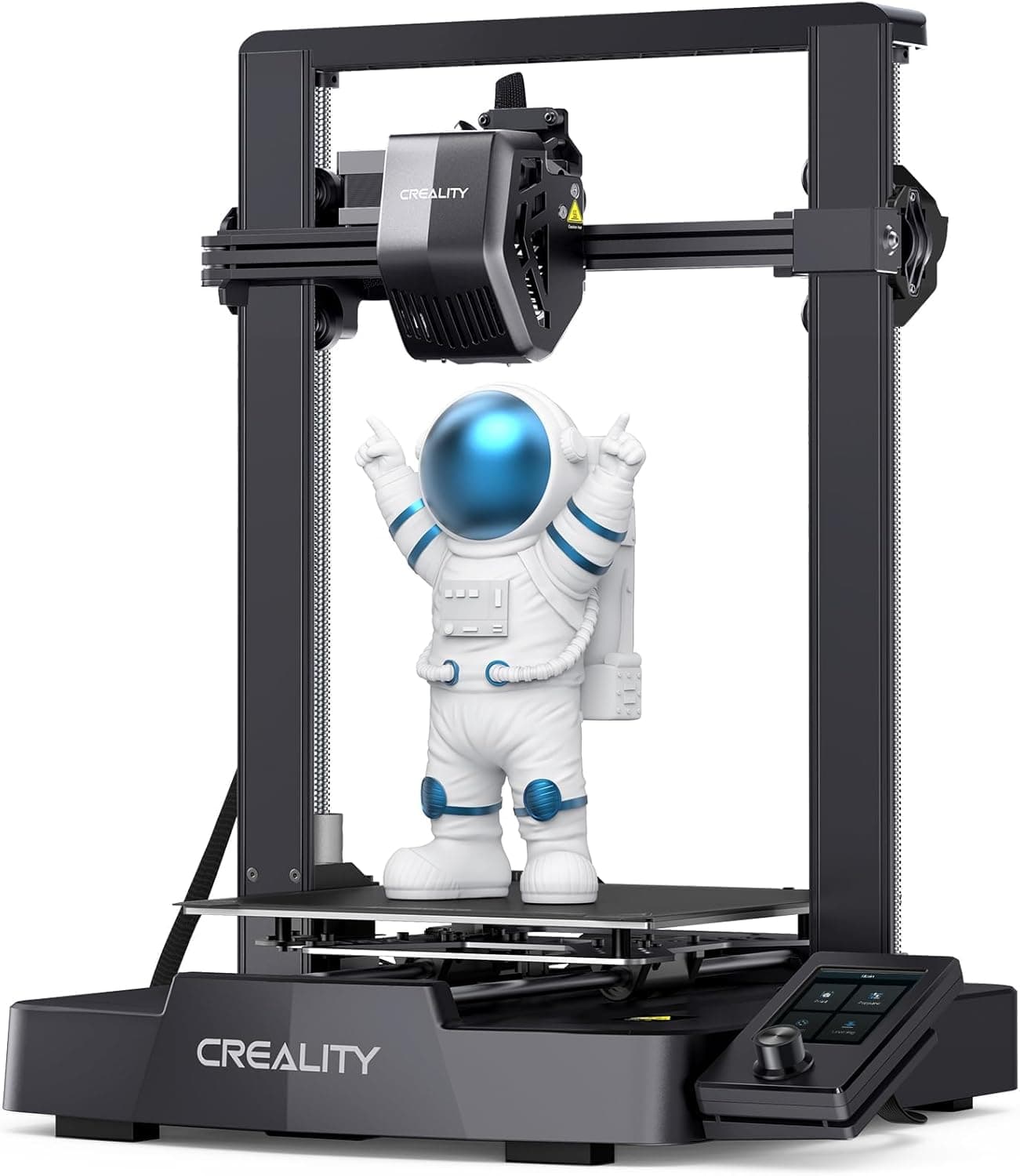
Creality Ender 3 V3 SE at 250mm/s with CR Touch leveling and a Sprite direct extruder, a common first printer choice.
Price range: See on Amazon
What we liked
- + CR Touch leveling spares beginners the paper-and-knob routine
- + Sprite direct extruder copes well with PETG and TPU as skills grow
- + Huge Ender user base means answers to most beginner questions
Trade-offs
- - Screen interface is basic and menus take a moment to learn
- - Bed slinger motion can ring on tall prints at top speed
Who this printer fits
This Ender 3 V3 SE is aimed squarely at people printing for the first time rather than hobbyists chasing top speed. It ships mostly pre-assembled, with the gantry, base and print head going together in a handful of steps, so a new owner can be printing the same afternoon it arrives. CR Touch auto leveling and an auto Z-offset strain sensor remove the two steps that trip up most beginners, paper-test leveling and manual nozzle height. The Sprite direct extruder is a step up from the plain bed slingers in this price range, and it copes with PETG and flexible TPU as a new owner's skills grow past basic PLA parts. Anyone wanting an enclosure for ABS, multi-color printing, or true unattended reliability will outgrow it faster, but as an entry point that teaches core 3D printing habits without a steep first-project failure rate, it does the job it is built for.
Build volume, speed and materials in plain terms
The build volume is 220 x 220 x 250mm, enough for most desk organizers, brackets and hobby models without splitting them into parts. Creality rates the printer at up to 250mm/s, a real jump over older Ender models, though most owners will run PLA and PETG well under that ceiling for cleaner results. A 260 degree Celsius nozzle and 100 degree Celsius bed cover PLA, PETG and TPU comfortably, though ABS and other high-temperature filaments are better suited to enclosed machines. Dual Z-axis lead screws keep the gantry level side to side as it climbs, which matters on taller prints. The frame has no enclosure and no chamber heater, so print quality depends more on room temperature and draft control than on machines built around a closed box. Follow Creality's included instructions for wiring, mains voltage and heated bed setup rather than guessing, since this is still an appliance with a heated nozzle and bed.
Setting it up and living with it day to day
Assembly centers on mounting the gantry frame to the base, attaching the LCD bracket, fitting the spool holder and connecting a handful of pre-routed cables, all achievable with the included tools in under half an hour. The auto-load and auto-unload filament function means swapping spools is a couple of button taps rather than manual threading, which matters more than it sounds once someone is switching colors often. Day to day, the CR Touch sensor re-levels the bed automatically before each print, and the strain sensor sets Z-offset without a piece of paper. The color screen and rotary knob keep the interface functional, though menus take longer to navigate than a full touchscreen. Regular maintenance is the usual FDM routine, cleaning the bed surface, checking belt tension occasionally, and keeping the nozzle clear, all covered in the manufacturer's manual rather than anything printer-specific to this SE variant.
Where it falls short and how it compares
The screen interface is basic by 2026 standards, a small color display driven by a knob rather than touch, and new users often need a few sessions to find their way around the menu tree. Because this is a bed slinger, the print bed itself moves on the Y axis, and at higher speeds or on tall models that motion can show up as faint ringing on vertical surfaces, something CoreXY machines avoid by design. Against the Flashforge Adventurer 5M, which rates higher for its faster claimed speed and more polished interface, this Ender trades some refinement for a lower cost of entry and a massive community of existing guides and mods. Against Creality's own DIY kit version of the same printer, this pre-assembled model saves the build time at a similar spec, which is the more relevant trade-off for someone who wants to print rather than wrench on day one.
Verdict and who should look elsewhere
This printer earns our score of 8.4 out of 10 largely on fit for the job and value, reflecting a machine that removes the two most common beginner failure points, bed leveling and nozzle offset, without asking for a big budget. It is not the fastest or quietest option available, and its plain screen and open frame mean an experienced hobbyist chasing enclosed ABS printing or minimal maintenance should look further up the lineup. But for someone printing their first bracket, cosplay part or replacement knob, the combination of CR Touch, a capable direct extruder and Creality's enormous base of tutorials and spare parts makes it a sensible, low-drama starting point that most owners will not outgrow for a good while.
Frequently asked questions
Does the Ender 3 V3 SE come assembled?
It ships mostly pre-assembled. Owners attach the gantry frame, screen bracket and spool holder and connect a few cables, a process Creality's own guide estimates at roughly 15 to 30 minutes.
What materials can it print?
The Sprite direct extruder and 260 degree Celsius nozzle handle PLA, PETG and TPU well. It has no enclosure, so ABS and other warp-prone filaments are better suited to a closed-frame printer.
How does auto leveling work on this printer?
A CR Touch probe maps the bed automatically before each print, and a strain sensor sets the nozzle's Z-offset, so there is no manual paper-test leveling step.
Is this the same printer as Creality's DIY kit version?
It uses the same core specs, build volume, CR Touch leveling and Sprite extruder, but arrives largely pre-assembled rather than as a full build-it-yourself kit.
Prices change often, so check the current price and availability on Amazon.
Check price on AmazonFilament Print Lab may earn a commission from the link above.