Flashforge Adventurer 5M 3D Printer for Beginners, 600mm/s, Auto-Leveling Review (2026)
Updated September 14, 2026 · Research-based review
Our verdict
The Flashforge Adventurer 5M combines a 600mm/s rated speed with automatic leveling and a mostly pre-assembled CoreXY frame for fast prints without a long tuning process. It ranks first in the beginner printer guide, though its open frame suits ABS less than the enclosed Pro version. Our score is 8.6 out of 10.
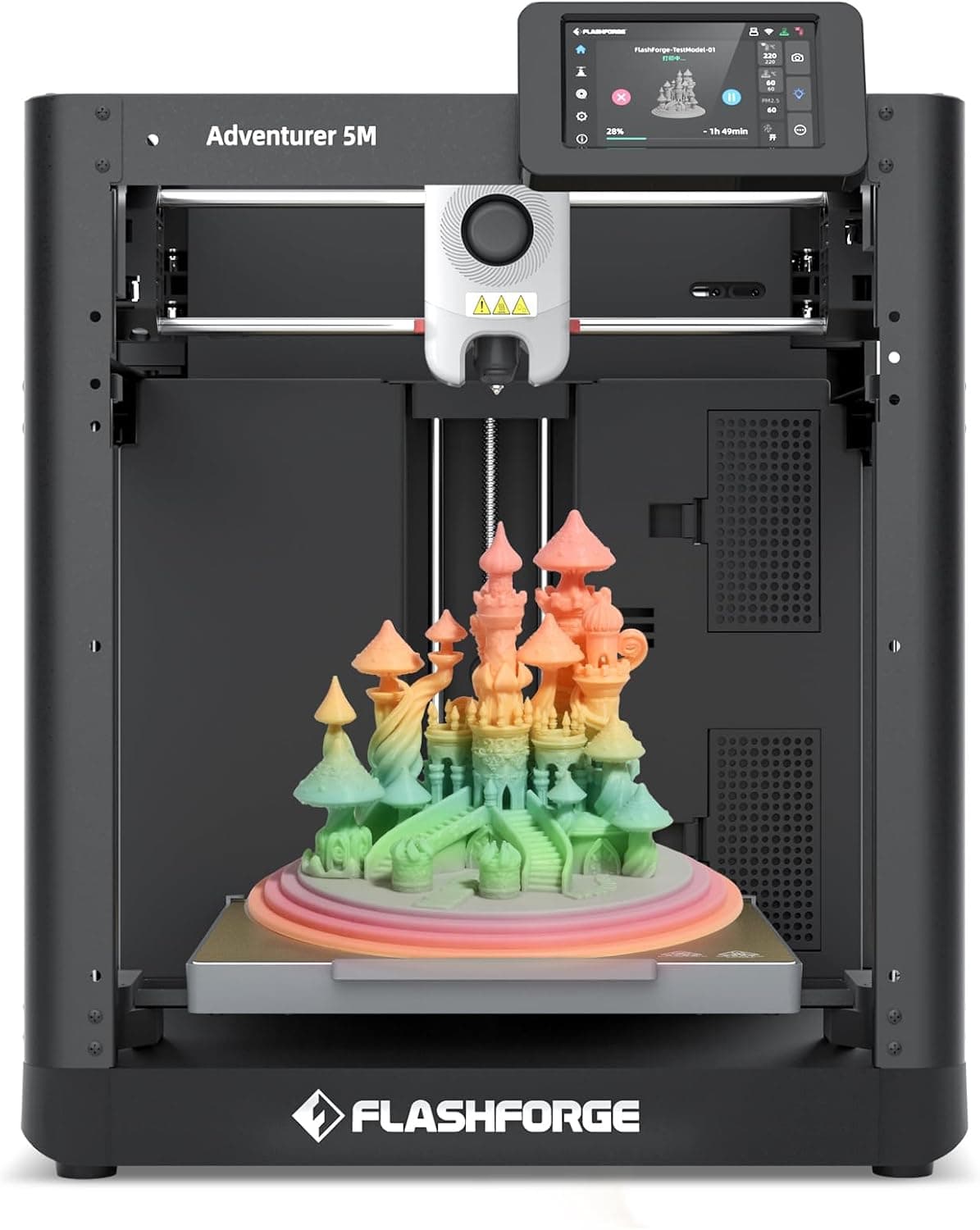
Flashforge Adventurer 5M, a 600mm/s beginner printer with auto-leveling that aims to be fast without heavy tuning.
Price range: See on Amazon
What we liked
- + 600mm/s rated speed makes it one of the quickest beginner picks
- + Auto-leveling and a guided setup suit people new to 3D printing
- + Flashforge has long focused on user-friendly home and school printers
Trade-offs
- - Open design is less suited to ABS than the enclosed Pro version
- - Proprietary nozzle and parts may be pricier than generic Ender spares
Who should consider the Adventurer 5M
This printer targets people buying their first 3D printer who still want genuinely fast output rather than a slow, patience-testing budget machine. It tops the site's beginner 3D printer guide, a position built on pairing a 600mm/s maximum speed with automatic leveling so a new owner is not stuck manually tuning motion settings before a usable first print. Flashforge has built its brand around approachable home and school printers, and the Adventurer 5M continues that focus with a mostly pre-assembled unit rather than a full kit build. It suits hobbyists, students, and makers printing PLA or PETG parts who want to move quickly from unboxing to finished prints, more than users who need an enclosed chamber for demanding engineering filaments from day one.
The hardware behind the speed
Flashforge specifies a 220 by 220 by 220mm build volume on a CoreXY all-metal frame, which is a more rigid motion layout than a bed slinger design and helps the printer hold accuracy at higher speeds. The direct drive extruder reaches up to 280 degrees Celsius and uses quick-detach nozzles in several diameters, so swapping a worn or clogged nozzle does not require disassembling the hot end. Automatic leveling is handled through what Flashforge calls its Automatic Datum Management system, removing manual bed adjustment. A dual-sided PEI build plate is included for adhesion, and a 4.3 inch touchscreen handles day-to-day print monitoring. Flashforge's own listing notes the unit ships about 95 percent pre-assembled, needing only the display and filament holder attached.
Setup, daily use and care
Because most assembly is done at the factory, initial setup centers on attaching the display and spool holder, then running the guided leveling and calibration routine before the first print. Flashforge recommends PLA and PETG filaments for best results, and the printer also handles TPU, PLA carbon fiber, and PETG carbon fiber blends, but the company does not recommend ABS filaments on this open-frame model since the lack of an enclosure makes warping more likely with high-shrinkage materials. Wi-Fi, Ethernet, and USB connections all work for sending files and monitoring progress remotely. A filament run-out sensor pauses a job if the spool empties, and power loss recovery resumes a print after an outage. Flashforge backs the printer with a one-year limited warranty and a shorter three-month warranty on extruder parts.
Trade-offs against other beginner printers
In the site's beginner guide, a Creality Ender 3 V3 SE with CR Touch scores 8.4, close behind on value but rated at less than half this printer's top speed. Another Ender 3 V3 SE variant with auto-load filament comes in at 7.8, alongside an Anycubic Kobra 2 Neo also at 7.8, both aimed more squarely at absolute beginners with simpler feature sets. The clearest trade-off against this Adventurer 5M is its open frame, which is why Flashforge sells a separate enclosed Pro version for ABS-heavy workflows, and its quick-detach nozzle and other proprietary parts can cost more to replace than generic hardware used on Ender-based machines.
Verdict and who should look elsewhere
Pick this printer if speed and a mostly finished build matter more than deep customization, and if PLA, PETG, or similar filaments cover your projects. It leads the beginner guide because it removes much of the manual tuning that slows down a first-time buyer while still printing meaningfully faster than typical entry machines. Anyone planning to print ABS or ASA regularly should look at Flashforge's enclosed Adventurer 5M Pro instead, since the open frame here is not built for high-shrinkage materials. Buyers who want the lowest possible cost per spare part may also prefer a widely supported platform like the Ender 3 V3 SE, where generic hardware is easier to source.
Frequently asked questions
Can the Adventurer 5M print ABS?
Flashforge does not recommend ABS on this open-frame model, since without an enclosure high-shrinkage materials are more prone to warping. PLA and PETG are the recommended filaments, with TPU and carbon fiber blends also supported.
How much assembly does this printer need?
Flashforge ships the Adventurer 5M about 95 percent pre-assembled, so setup mainly involves attaching the display and filament spool holder before running the guided leveling process.
Does it connect over Wi-Fi?
Yes, the printer supports Wi-Fi, Ethernet, and USB connections for sending print files and monitoring jobs.
What is the warranty on this printer?
Flashforge covers the Adventurer 5M with a one-year limited warranty on the printer, with a shorter three-month warranty specifically on extruder parts.
Prices change often, so check the current price and availability on Amazon.
Check price on AmazonFilament Print Lab may earn a commission from the link above.