Bambu Lab P1S 3D Printer, Enclosed CoreXY FDM, High Speed & Precision Review (2026)
Updated September 14, 2026 · Research-based review
Our verdict
The Bambu Lab P1S fits someone who wants an enclosed, fast CoreXY printer that handles ABS and ASA without babysitting warp. Its main strength is a polished, largely hands-off workflow, and its main trade-off is a higher cost and a more closed ecosystem than an open-frame Ender-style machine.
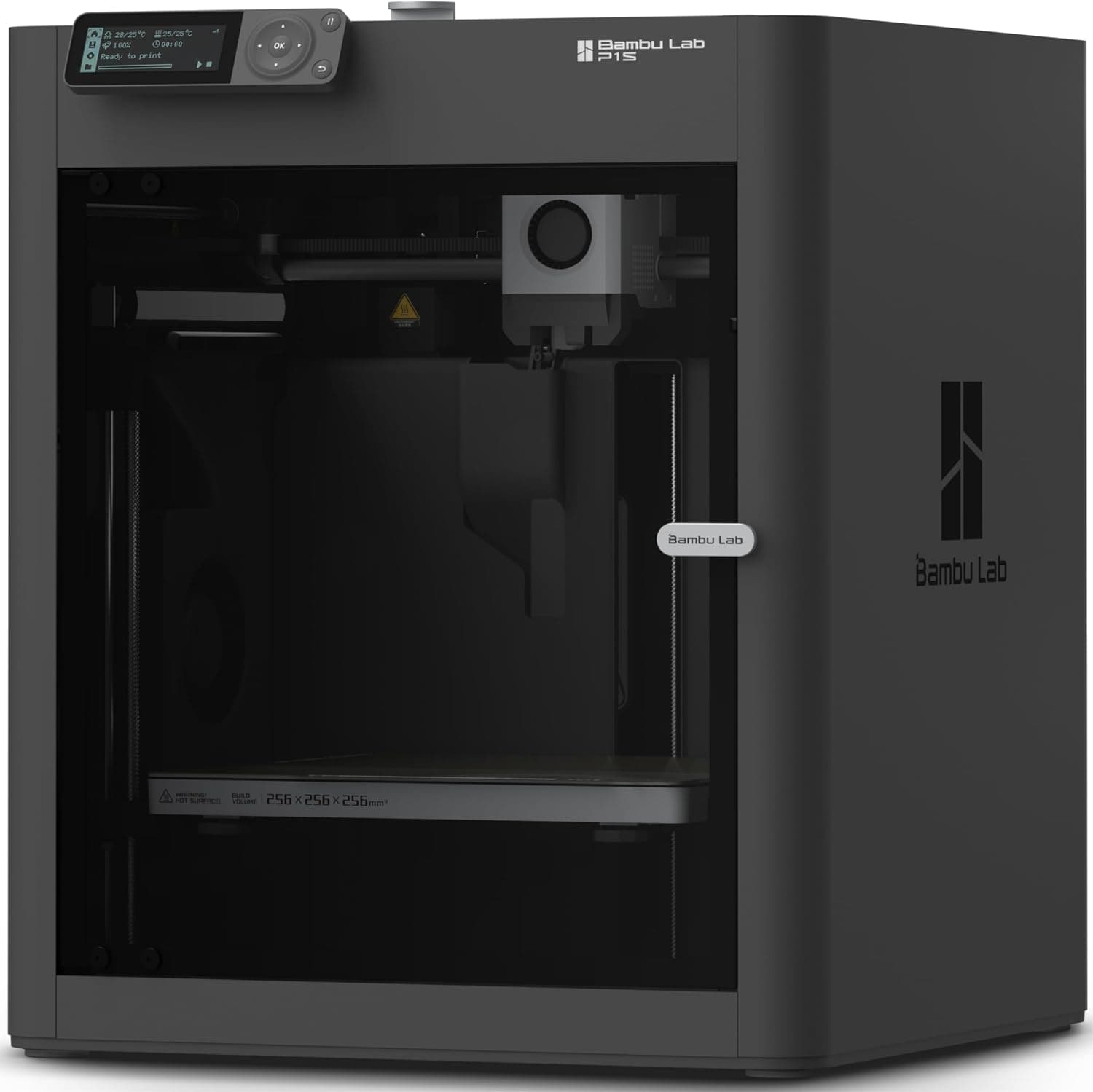
Bambu Lab P1S, an enclosed CoreXY FDM printer built for high speed and precision with a wider range of materials.
Price range: See on Amazon
What we liked
- + Enclosure holds heat, which helps ABS and ASA resist warping
- + CoreXY motion delivers fast prints without shaking the part
- + Polished out-of-box experience with minimal tuning required
Trade-offs
- - Costs noticeably more than open-frame bed slingers
- - Proprietary parts and ecosystem limit third-party tinkering
Who the P1S is built for
The P1S targets buyers who have outgrown an entry-level open-frame printer and want fewer variables between hitting print and holding a finished part. Its fully enclosed chamber traps heat around the model, which is exactly what warp-prone filaments like ABS and ASA need to print reliably. That makes it a good fit for anyone making functional parts, enclosures or outdoor-facing prints rather than only display models in PLA. The CoreXY motion system and rated speeds up to 500mm per second suit users who print often and value turnaround time, such as small workshops, classrooms or hobbyists running multiple jobs a week. It is less suited to someone who enjoys tuning and modding their machine, since Bambu Lab's ecosystem favors a more closed, guided experience than the wide-open Ender or Voron scenes. For a buyer who wants materials beyond PLA to just work, this is built for that.
What the specs mean day to day
The build volume is 256 x 256 x 256mm, giving noticeably more room than typical 220mm beginner printers, useful for larger enclosures or batches of smaller parts. A direct drive extruder and all-metal hotend reach up to 300 degrees Celsius, covering PLA, PETG, TPU, ABS and ASA, while the enclosed frame and built-in active carbon filter help manage fumes and warping from the higher-temperature materials. Mesh auto bed leveling and a filament runout sensor cut down on failed prints from an uneven bed or an empty spool. The printer connects over local network without requiring a cloud account, and the Bambu Handy app adds remote monitoring and timelapses if an owner opts into Bambu's cloud features. As with any printer that runs a hot nozzle and heated bed, follow the included manual for setup, ventilation and electrical safety rather than improvising.
Living with the enclosed workflow
Because so much of the calibration is automated, the P1S is closer to a plug-in-and-print experience than most open-frame kits, with minimal manual tuning needed before the first successful part. The enclosure keeps drafts and room temperature from affecting ABS and ASA prints the way they would on an open bed slinger, and it also cuts down on operating noise and airborne particulates escaping the print area. Day to day upkeep follows the usual FDM routine: keeping the nozzle and hotend clear, checking the auto-tensioned belts occasionally, and swapping the activated carbon filter as it saturates during heavy ABS or ASA use. Optional add-ons like Bambu's AMS unit extend the printer to multi-color and multi-material printing later, so a buyer is not locked into single-color runs forever, though that hardware is a separate purchase from this printer alone.
The cost and ecosystem trade-off
The P1S costs noticeably more than open-frame machines like the Ender 3 V3 line, and that premium buys the enclosure, CoreXY speed and the more finished out-of-box experience rather than raw print volume. Its parts and firmware lean proprietary, so third-party mods and replacement parts are a smaller market than the sprawling Ender ecosystem, which matters to anyone who likes repairing or upgrading a machine themselves over time. Against Bambu's own A1, which is open-frame, cheaper and scores higher here for value, the P1S wins specifically on ABS and ASA reliability thanks to its enclosure. Against Creality's Ender 3 V3 CoreXZ, a fast open-frame machine at a lower price, the P1S is the pick for anyone who needs enclosed high-temperature printing rather than raw top-end speed on PLA.
Verdict on who should buy it
With our score of 8.8 out of 10, the P1S is one of the stronger all-around picks here, and it earns that mainly through build and materials plus a fit for the job that suits both hobbyists and small production runs. Buy it if enclosed printing, ABS or ASA parts, and a mostly automated workflow matter more to you than upfront cost or open-source tinkering. Skip it if your budget is tight, you print almost exclusively in PLA, or you enjoy the process of modding and repairing a printer as much as the printing itself, in which case an open-frame Ender or similar machine will get you most of the way there for considerably less money.
Frequently asked questions
Can the Bambu Lab P1S print ABS and ASA reliably?
Yes. Its enclosed chamber traps heat around the model and its hotend reaches up to 300 degrees Celsius, which helps these warp-prone materials cool evenly instead of cracking or lifting off the bed.
Does the P1S need a cloud account to work?
No. It can run over a local network connection without a mandatory cloud account, though the Bambu Handy app and optional cloud features add remote monitoring and timelapses.
Can the P1S print in multiple colors?
Multi-color printing requires Bambu's separate AMS accessory. On its own, the P1S prints one material and color at a time.
How does the P1S compare to Bambu's A1 model?
The A1 is open-frame and generally cheaper, while the P1S adds an enclosure and carbon filtration that make it the better choice for ABS, ASA and other high-temperature filaments.
Prices change often, so check the current price and availability on Amazon.
Check price on AmazonFilament Print Lab may earn a commission from the link above.