Bambu Lab A1 3D Printer, Multi-Color FDM, Full-Auto Calibration, 256x256x256mm Review (2026)
Updated September 14, 2026 · Research-based review
Our verdict
The Bambu Lab A1 pairs full-auto calibration with multi-color capability and a 256mm cubed build volume for a mostly hands-off experience. It tops the FDM printer guide, though multi-color jobs add filament waste and the ecosystem is fairly closed. Our score is 9.2 out of 10, the highest FDM printer here.
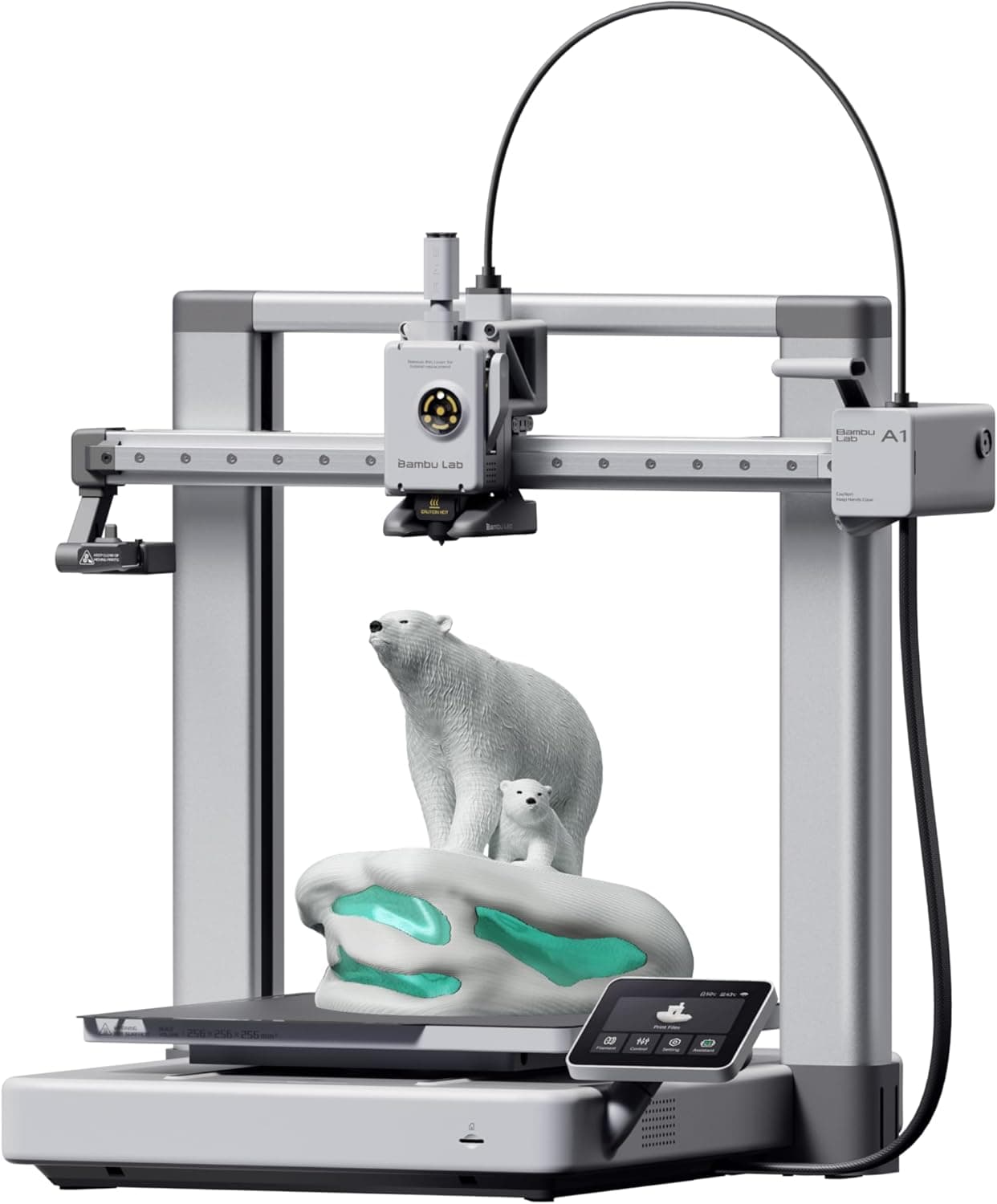
Bambu Lab A1, a multi-color FDM printer with full-auto calibration and 256x256x256mm volume for hands-off printing.
Price range: See on Amazon
What we liked
- + Full-auto calibration handles leveling, flow and vibration tuning
- + Multi-color capability opens up signs, toys and decorative prints
- + 256x256x256mm volume gives generous room on a bed slinger
Trade-offs
- - Multi-color printing wastes filament on purge and needs the AMS add-on
- - Bambu ecosystem is more closed than open-source firmware printers
Who the A1 is built for
The A1 suits makers who want a large build volume and genuine multi-color capability without spending a lot of time on manual tuning before each print. It leads the site's FDM printer guide for reliable everyday printing, a ranking earned by combining full-auto calibration with a 256 by 256 by 256mm build volume that is generous for a bed slinger design. Bambu Lab positions the A1 for beginners as much as experienced users, since the printer largely handles leveling, flow, and vibration compensation on its own. It fits hobbyists making signs, toys, cosplay props, and decorative prints that benefit from color, as well as anyone printing functional PLA, PETG, TPU, or ABS and ASA parts who wants dependable first-layer adhesion without repeated manual calibration.
What full-auto calibration and multi-color mean here
The A1 uses a direct drive extruder with a single 0.4mm nozzle accepting standard 1.75mm filament, paired with a heated bed that reaches up to 100 degrees Celsius and a hot end rated to 300 degrees Celsius, which is enough thermal headroom for PLA, PETG, TPU, and ABS or ASA. Auto bed leveling uses an onboard probing tool rather than manual paper-and-shim adjustment. Multi-color printing on the base A1 works through a compatible add-on filament system rather than a single nozzle magically switching colors on its own, so budget for that accessory if color output is the main draw. The printer's square heated bed and rigid frame are designed to support the flow rate compensation and calibration routines Bambu Lab runs automatically before and during a print.
Living with the A1 day to day
Bambu Lab designs the A1 to arrive mostly pre-assembled and squared, so initial setup is centered on connecting the printer to its companion software and running the guided first-time calibration rather than building a frame from parts. Because it is an open bed slinger rather than an enclosed chamber, PLA and PETG print more predictably than ABS or ASA, which benefit from a more controlled ambient temperature. Regular care includes cleaning the nozzle and bed surface between materials, keeping the linear rails free of dust, and checking filament for moisture before long prints. Multi-color use adds a purge routine between color changes, which uses extra filament and creates waste material that needs to be cleared from the build plate after each job.
How it stacks up against rival FDM printers
In the same FDM guide, Bambu Lab's own enclosed P1S scores 8.8, trading the A1's open frame for a CoreXY chamber better suited to ABS and other warp-prone materials at a higher price point. The Creality Ender 3 V3 3D Printer and the ELEGOO Neptune 4 both score 8.3, offering auto leveling and solid speed but without the A1's native multi-color pathway or fully automatic calibration routine. A Creality Ender 3 V3 SE variant scores 8.0, positioned as a simpler and less expensive alternative. Compared with all of these, the A1's combination of automatic calibration, build volume, and color capability is what keeps it at the top of the ranking, though its ecosystem leans more closed than open-source Klipper-based rivals.
Verdict and who should pick something else
Choose the A1 if you want a large-format, mostly hands-off FDM printer that can branch into multi-color work and handles calibration on its own. It earns the top score in the FDM guide because it removes more manual tuning steps than most rivals while still printing a wide range of materials. Buyers who need an enclosed chamber for frequent ABS or ASA printing should look at the Bambu Lab P1S instead, and anyone who strongly prefers open-source, fully customizable firmware may be happier with a Klipper-based printer like the Neptune 4. For most everyday FDM projects with an emphasis on ease of use, the A1 remains a strong first choice.
Frequently asked questions
Does the Bambu Lab A1 print multiple colors out of the box?
The base A1 supports multi-color printing with a compatible add-on filament system rather than as a built-in single-nozzle feature, so factor that accessory into your plans if color switching is the main reason for buying.
What is the build volume of the A1?
It offers a 256 by 256 by 256mm build volume, which is generous for a bed slinger style printer and gives room for larger single-piece prints.
Can the A1 print ABS?
The hot end reaches up to 300 degrees Celsius and the bed up to 100 degrees Celsius, which covers ABS and ASA, though as an open frame printer it will be more prone to warping with those materials than an enclosed model like the P1S.
How much manual calibration does the A1 need?
Very little. Bambu Lab designed the A1 around full-auto calibration that handles leveling, flow rate, and vibration compensation automatically rather than requiring manual tuning before each print.
Prices change often, so check the current price and availability on Amazon.
Check price on AmazonFilament Print Lab may earn a commission from the link above.