Creality K1 3D Printer, 600mm/s High-Speed, 0.1mm Detail, Auto Leveling Review (2026)
Updated September 21, 2026 · Research-based review
Our verdict
A capable choice for anyone who wants fast, detailed prints from a compact enclosed machine without paying flagship prices. The main strength is combining high print speed with fine layer detail in a ready-to-print package; the main trade-off is a smaller build volume than the K1 Max and noticeable fan noise at full speed.
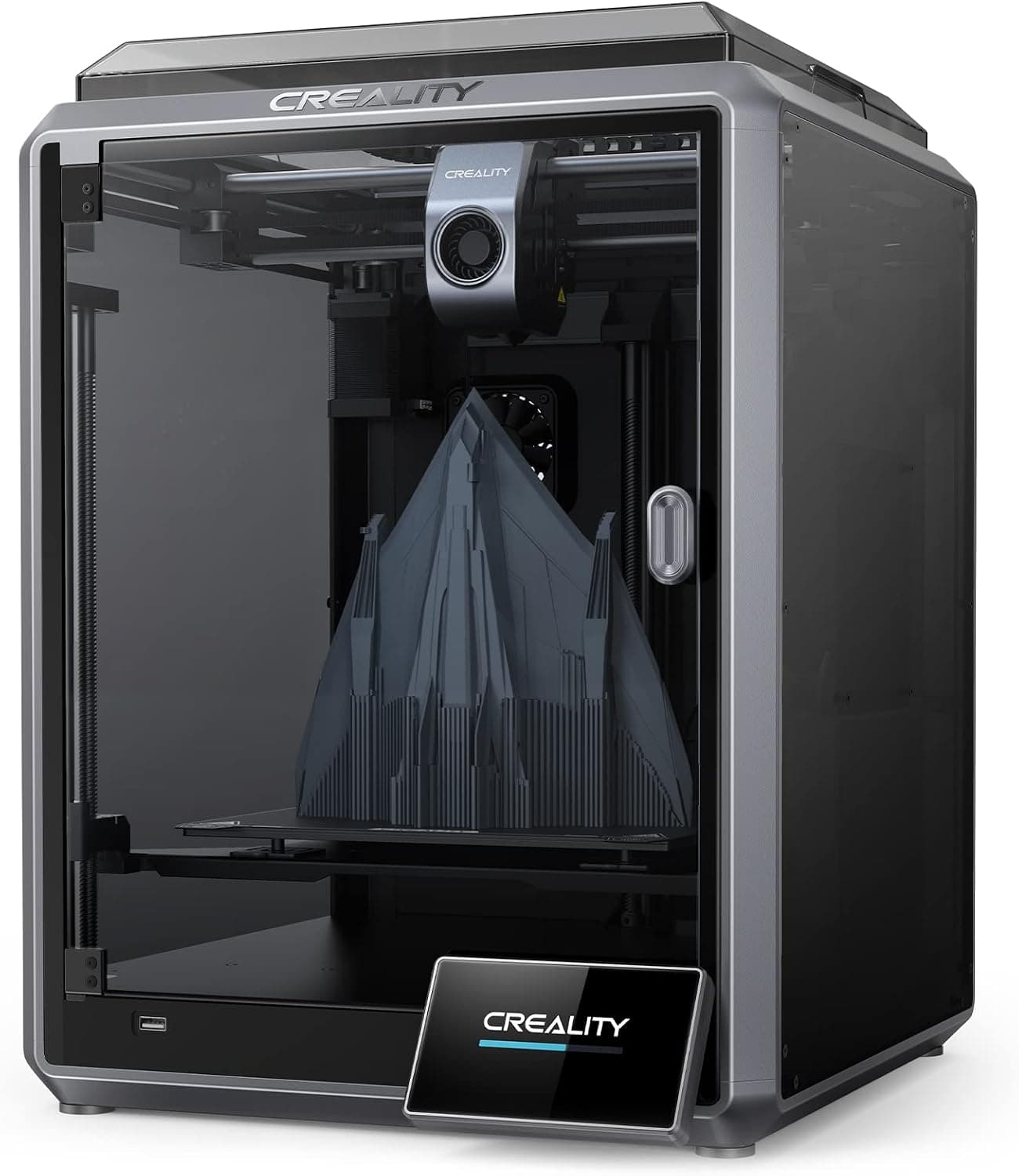
Creality K1 at 600mm/s with 0.1mm detail and auto leveling, a compact enclosed CoreXY printer for quick quality prints.
Price range: See on Amazon
What we liked
- + 0.1mm layer detail keeps small parts crisp despite high speed
- + Enclosed CoreXY frame keeps motion stable and heat inside
- + Auto leveling makes it fast to go from unboxing to printing
Trade-offs
- - Compact enclosure limits build size compared with the K1 Max
- - Fan noise at full speed is noticeable in a quiet room
Speed and print quality
The Creality K1 is built around a CoreXY motion system inside a solid unibody frame, rated for print speeds up to 600mm per second while maintaining 0.1mm layer detail. That combination targets a common trade-off in 3D printing, where higher speed usually costs some print quality, by keeping the frame rigid enough to hold detail even at high acceleration. A ceramic heater core and a hotend rated for roughly 32 cubic millimeters per second of maximum flow let the printer melt and extrude filament fast enough to actually take advantage of the higher print speeds rather than being bottlenecked by the hotend.
Build volume and enclosure
The K1 has a build volume of about 220 by 220 by 250mm, listed as 8.66 by 8.66 by 9.84 inches, which is a common mid-size volume for desktop printers but noticeably smaller than Creality's own K1 Max in the same product line. The enclosed frame helps hold a more stable internal temperature for materials like ABS that are prone to warping in an open environment, and it also reduces draft-related layer inconsistencies compared with an open-frame printer. Anyone needing to print larger single parts should measure against this build volume before buying, since the K1 is meant for typical desktop parts rather than large functional prints. Splitting an oversized design into smaller sections that fit the bed and joining them afterward is a common workaround for anyone who occasionally needs a bigger finished piece.
Auto leveling and setup
Bed leveling uses an array of strain sensors embedded in the hotbed to build an accurate leveling mesh automatically, removing the need to manually adjust bed screws before most prints. Creality markets the K1 as coming pre-assembled and calibrated out of the box, which shortens the setup process compared with kit printers that require building the frame and wiring before a first print. Combined with dual cooling fans for part cooling, the printer is set up to get from unboxing to a first successful print with minimal manual tuning. That level of factory calibration is a meaningful advantage for a first-time buyer who does not want to spend an evening squaring up a frame before printing anything.
Noise at high speed
Running at the K1's higher speed settings increases fan noise noticeably compared with slower, quieter printers, since faster printing generally needs stronger part cooling and hotend cooling to keep up with material flow. For a shared living space, home office, or bedroom setup, that noise level is worth considering before committing to running prints at maximum speed overnight or during work hours. Slowing print speed down for quieter operation is usually possible in the slicer settings, though doing so gives up some of the K1's main speed advantage over other printers.
Where this fits versus the K1 Max
Creality sells the K1 alongside a larger K1 Max model with the same core speed and auto-leveling features but a bigger build volume and added extras like an AI camera and lidar. For anyone whose prints regularly fit within the standard K1's build volume, the base K1 is the more cost-effective option, delivering the same speed and detail without paying for extra size that would go unused. For anyone printing larger parts regularly or wanting the added monitoring features, the K1 Max is worth comparing against before deciding between the two. Weighing desk space against build volume is also worth doing, since the Max's larger frame takes up noticeably more room on a desk or shelf.
Frequently asked questions
What is the build volume of the Creality K1?
The K1 has a build volume of about 220 by 220 by 250mm, listed by Creality as 8.66 by 8.66 by 9.84 inches.
How fast can the Creality K1 print?
It is rated for print speeds up to 600mm per second while maintaining 0.1mm layer detail, using a CoreXY frame and a high-flow hotend.
Does the K1 need manual bed leveling?
No, it uses embedded strain sensors to build an automatic leveling mesh, so manual bed adjustment is not required before most prints.
How does the K1 compare to the K1 Max?
The K1 Max shares the same speed and auto-leveling but offers a larger build volume and extra features like an AI camera and lidar, at a higher price.
Prices change often, so check the current price and availability on Amazon.
Check price on AmazonFilament Print Lab may earn a commission from the link above.