Creality Official CR Touch Auto Leveling Kit for Ender 3/Pro/V2/Max/Ender 5 Review (2026)
Updated September 21, 2026 · Research-based review
Our verdict
Creality's own CR Touch probe brings automatic bed mesh leveling to the Ender 3, Ender 3 Pro, Ender 3 V2, Ender 3 Max, and Ender 5, using a metal push pin sensor rather than the more fragile pin style of older probes. It targets 32 bit V4.2.2 or V4.2.7 mainboards, so older 8 bit boards need a firmware or board check first.
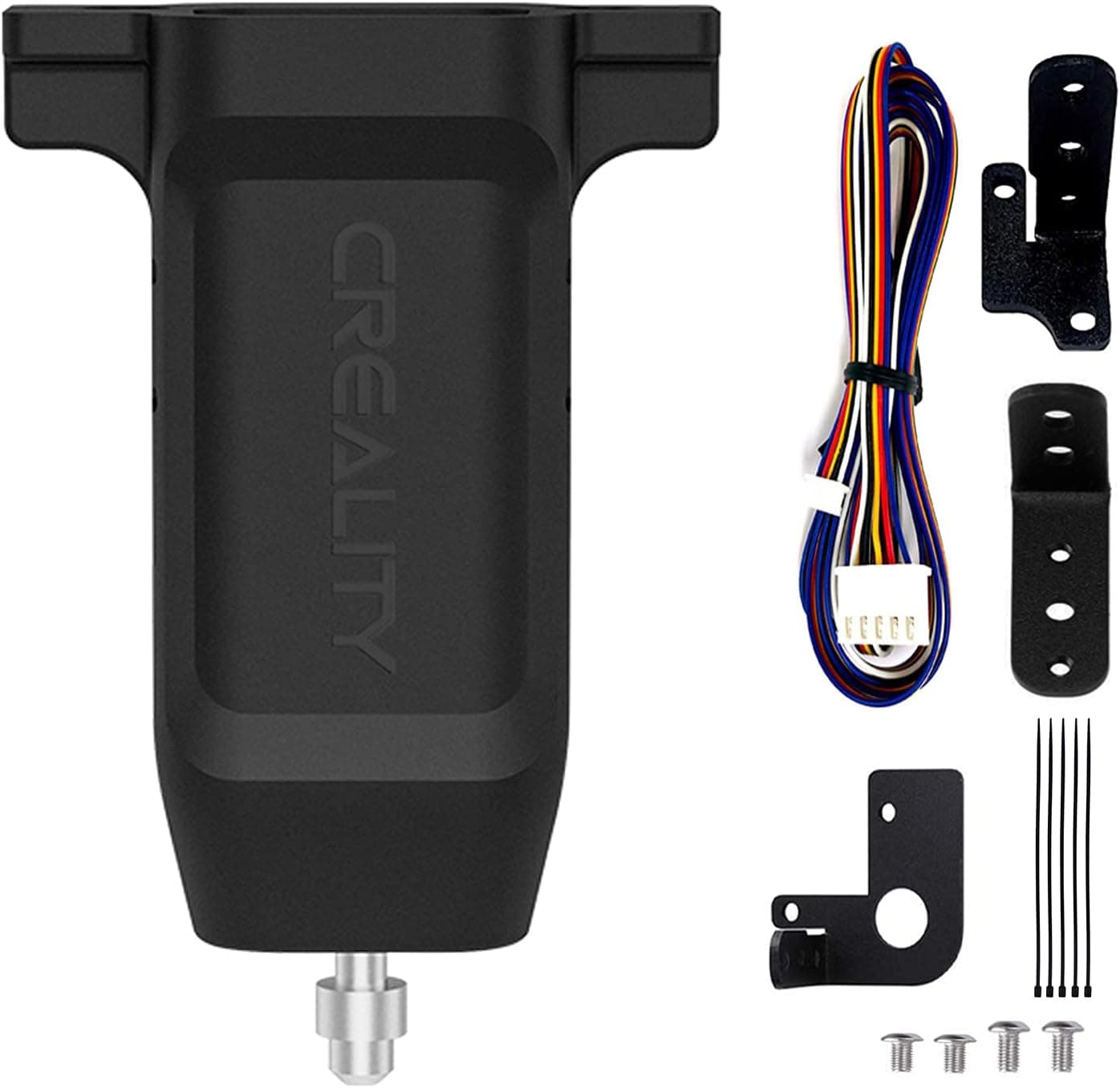
Creality official CR Touch auto leveling kit for Ender 3, Pro, V2, Max and Ender 5, a drop-in probe upgrade.
Price range: See on Amazon
What we liked
- + Official kit targets Ender 3, V2, Max and Ender 5 printers
- + Metal push-pin probe tends to be robust and repeatable
- + Creality provides firmware files for supported printer models
Trade-offs
- - Older boards may need a firmware flash and extra wiring steps
- - Mount orientation varies between models, so follow model guides
What the CR Touch does
The CR Touch is an automatic bed leveling probe that measures the distance between the nozzle and the bed at multiple points across the print surface, then builds a mesh the printer's firmware uses to adjust the nozzle height in real time during a print. That removes the guesswork of manually leveling the bed with paper and a leveling knob at each corner, and it also compensates for a bed that is not perfectly flat, which manual leveling alone cannot fix. Creality specifies a positioning accuracy figure and a fast extension and retraction cycle for the probe pin, aimed at giving a repeatable trigger point at each mesh location.
Metal pin design
Unlike some third party probes that use a thin, somewhat fragile pin, Creality's CR Touch uses a metal push pin mechanism paired with a photoelectric sensor to detect the trigger point, and the design hides the spring internally to reduce the chance of losing or damaging it. Creality rates the pin for a very high number of extension cycles before wear becomes a concern, which matters since the pin extends and retracts at every single probe point on every leveling pass, adding up to thousands of cycles over the life of a printer. The metal construction is generally more resistant to the knocks and scrapes that can happen if a probe gets bumped during handling or a failed print.
Mainboard and firmware requirements
Creality's official CR Touch kit specifically targets printers running a 32 bit V4.2.2 or V4.2.7 mainboard, since the wiring, connector layout, and firmware support Creality builds for this probe are matched to those boards. Printers still running an older 8 bit mainboard, common on earlier production runs of the Ender 3 and Ender 3 Pro, typically need a board upgrade or a compatible third party firmware build before the CR Touch will function correctly, since the stock 8 bit firmware generally lacks the auto leveling support these newer boards ship with. Checking the mainboard version before ordering avoids buying a probe that cannot be wired in without further upgrades.
Installation and setup
Setting up the CR Touch involves mounting the probe bracket near the nozzle, wiring it into the mainboard's dedicated probe connector, and loading Creality's provided firmware onto the printer via SD card, which enables the auto leveling menu and probing routine. Creality provides firmware files matched to its supported models, but mount orientation and bracket position can vary slightly between the Ender 3, Ender 3 Pro, Ender 3 V2, Ender 3 Max, and Ender 5, so following the specific installation guide for the exact printer model rather than a generic guide avoids probe height or wiring mismatches during first setup.
Who should buy this
This is a strong pick for anyone with a compatible 32 bit board who is tired of manually releveling the bed before every print, or whose bed has enough physical warp that manual leveling alone cannot produce a good first layer everywhere. Being an official Creality part also means the firmware and mounting hardware are built specifically for the listed models rather than adapted from a generic probe design. It is a weaker fit for owners of older 8 bit board printers who are not prepared to also upgrade their mainboard or flash third party firmware, since the probe alone will not function on unsupported boards.
Frequently asked questions
Does the CR Touch work on an 8 bit Ender 3 mainboard?
Not out of the box. Creality's official kit targets 32 bit V4.2.2 or V4.2.7 mainboards, so an 8 bit board typically needs a mainboard upgrade or compatible third party firmware first.
Is the CR Touch better than a BLTouch style probe?
It uses a metal push pin with a photoelectric sensor rather than the thinner pin style of some other probes, which Creality positions as more durable, though both approaches are widely used for automatic bed leveling.
Which printers does the CR Touch officially support?
Creality lists the Ender 3, Ender 3 Pro, Ender 3 V2, Ender 3 Max, and Ender 5 as compatible models for this kit, provided they run a supported 32 bit mainboard.
Do I need to flash new firmware to use it?
Yes. Creality provides firmware files specific to each supported printer model that need to be loaded via SD card to enable the auto leveling probing routine and menu.
Prices change often, so check the current price and availability on Amazon.
Check price on AmazonFilament Print Lab may earn a commission from the link above.